
Hi friends,
If you are bored to see with window in a minimized size.
YES means ... I have a solution for this. ITS NOT A DOCK.
Features:
* You get an attractive look.
* You don't want to go the taskbar for opening the each minimized application; just by clicking on the corresponding desktop screen you can open it.
* This also contain the button in right top most corner of your window.
* You can also add shortcut to minimze the window. For this:
Right Click on the button of RIGHT TOP most corner --> Settings --> HOT key tab. Set your option.
Its by the new sotware as:
*YODM
*MADOTATE
*TOPDESK.
NOTE:
In your system it works when you open it means you have to notify this program as STARTUP progrm. For this you have to follow the following instruction Start--> All Programs--> Startup. Add this file.
Thats all and cool. You done it.
The following are images which you get when you minimize the window in your desktop....


Enjoy guys...
Cooldharma06.
If you are bored to see with window in a minimized size.
YES means ... I have a solution for this. ITS NOT A DOCK.
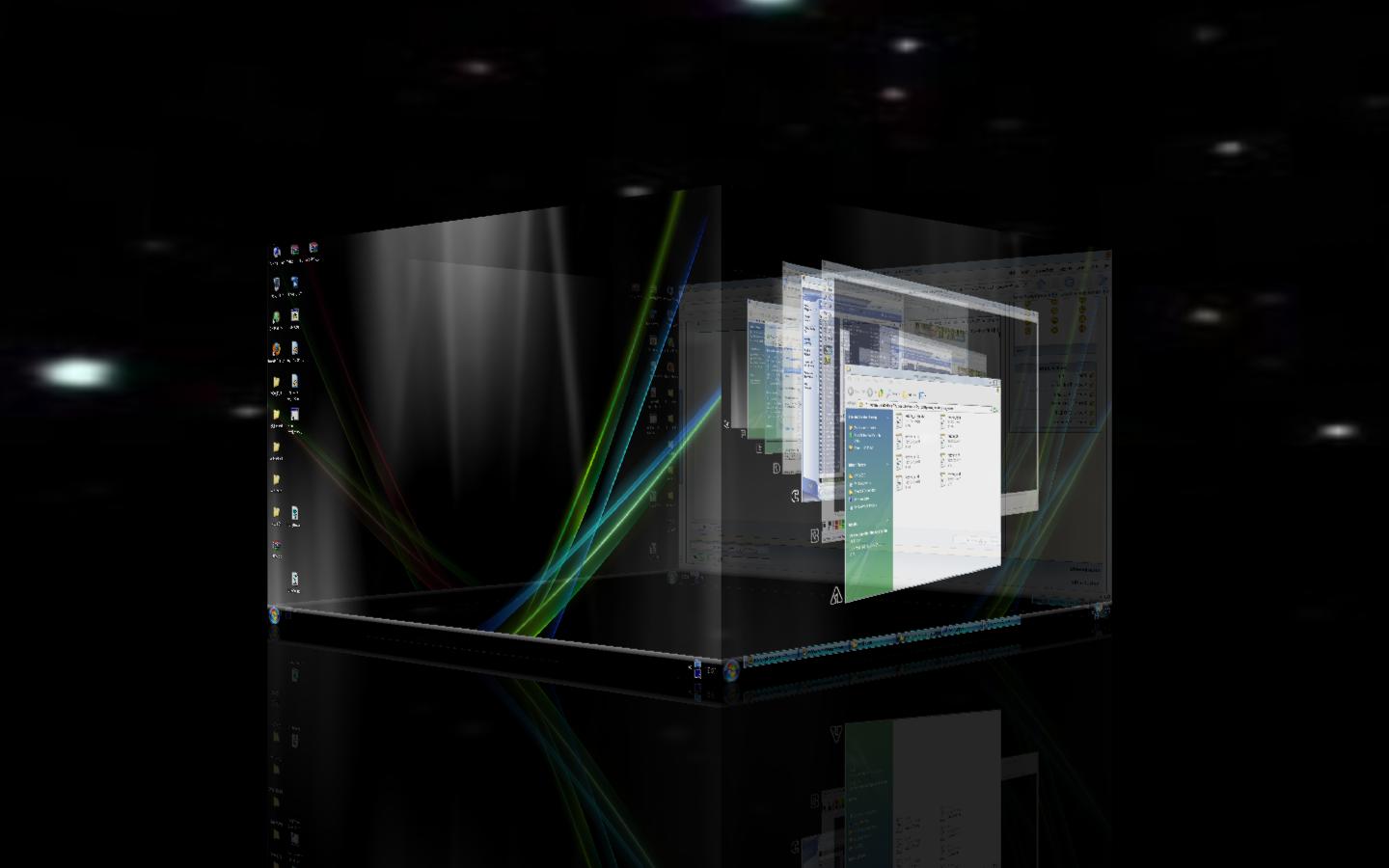
It will show the minimzed window in a 3d shape.
Features:
* You get an attractive look.
* You don't want to go the taskbar for opening the each minimized application; just by clicking on the corresponding desktop screen you can open it.
* This also contain the button in right top most corner of your window.
* You can also add shortcut to minimze the window. For this:
Right Click on the button of RIGHT TOP most corner --> Settings --> HOT key tab. Set your option.
Its by the new sotware as:
*YODM
*MADOTATE
*TOPDESK.
To download MADOTATE...
To download TOPDESK...
NOTE:
In your system it works when you open it means you have to notify this program as STARTUP progrm. For this you have to follow the following instruction Start--> All Programs--> Startup. Add this file.
Thats all and cool. You done it.
The following are images which you get when you minimize the window in your desktop....



Enjoy guys...
Cooldharma06.


